
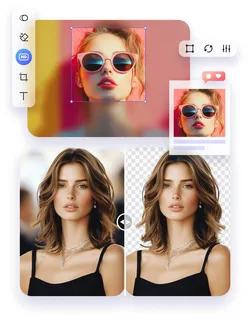
Photo editing can seem scary at first. But you don’t need expensive tools or complicated software to make your photos look amazing. With basic tools and simple techniques, anyone can enhance their pictures like a professional. This guide will show you step by step how to edit photos effectively and creatively, using tools you already have or can access for free.
Photo editing is all about improving what you already captured. Even with a simple camera or a smartphone, you can create stunning images. Using Pik as a guide can help beginners understand the editing process more easily. It explains how to adjust colors, improve brightness, and fix small mistakes without overcomplicating anything. Many photographers have found OncePik helpful for learning real-world techniques using basic editing tools. Following these simple tips and steps will make your photos stand out.
Understanding the Basics of Photo Editing
Before you start editing, it’s important to understand the basics. Photo editing is not about completely changing a photo; it’s about enhancing it. Small adjustments can make a big difference.
Adjusting Brightness and Contrast
Brightness affects how light or dark your photo looks. Contrast adjusts the difference between light and dark areas. Slightly increasing contrast can make your photo pop. But too much contrast can make it look unnatural. Start with small changes and see what looks best.
Working with Colors
Color adjustments can bring life to your images. Simple tweaks like increasing saturation or slightly adjusting warmth can make a photo feel vibrant. Avoid extreme changes that make the photo look fake. Learn to use sliders or basic color tools to enhance the natural look of your photo.
Cropping and Straightening
Cropping helps focus on the subject of your photo. Removing unnecessary parts of an image improves composition. Straightening fixes tilted horizons or lines in your photo. Basic tools in almost any photo editor allow you to crop and rotate images easily.
Rule of Thirds
Using the rule of thirds helps make your photos balanced and appealing. Imagine a grid with two horizontal and two vertical lines. Place important elements along these lines or at their intersections to create a natural flow.
Framing Your Subject
Use cropping to frame the main subject. Removing distractions around the edges makes the photo cleaner. Even small adjustments can dramatically improve how your photo is viewed.
Removing Imperfections
Every photo can have minor issues, such as spots, blemishes, or distracting objects. Basic editing tools often include a spot remover or healing brush. You don’t need to overdo it. Fixing minor imperfections makes the photo look professional without altering the natural appearance.
Fixing Spots and Blemishes
Zoom in and carefully remove spots or small unwanted details. This is especially useful for portraits or product photography. Be gentle; leaving some natural textures keeps the image realistic.
Removing Unwanted Objects
If something distracts from the main subject, remove it. Basic clone or healing tools are often enough. Avoid making drastic changes; subtle editing keeps the photo believable.
Using Filters and Presets
Filters and presets can save time and create a consistent look. Many free apps provide basic filters that enhance colors, adjust tones, or create moods.
Choosing the Right Filter
Pick filters that complement your photo. A warm filter can make a sunset more vibrant, while a cool filter can give a calm, soft look. Don’t overuse filters; subtlety is key.
Adjusting Filter Strength
Most tools let you adjust filter intensity. Reducing the strength can prevent your photo from looking artificial. Combine filters with basic adjustments like brightness and contrast for the best results.
Sharpening and Details
Sharpening makes the edges of your photo clearer. Enhancing details helps make the subject stand out. Be careful not to over-sharpen, as it can create unwanted noise or harsh lines.
Improving Texture
Use sharpening sparingly to bring out textures in skin, clothing, or objects. This adds depth and dimension without making the photo look over-processed.
Clarity Adjustments
Some editors include a clarity tool. Slightly increasing clarity can make details pop. Avoid high settings that create a harsh or unnatural effect.
Using Layers for Better Control (Optional)
Even basic tools can let you use layers. Layers let you edit different parts of your photo separately. This is helpful for precise adjustments and maintaining control.
Layer Benefits
-
Adjust specific areas without affecting the whole photo
-
Combine multiple edits safely
-
Undo mistakes without losing your previous work
Practical Layer Tips
Use layers to brighten a subject while keeping the background darker. Or adjust colors in one part without changing the rest of the photo. Layers add flexibility and professionalism to your edits.
Saving and Exporting Photos
After editing, it’s important to save your work correctly. Save a high-resolution version for printing and a smaller version for online sharing. Most tools allow you to choose formats like JPEG or PNG. Keeping the original photo untouched allows you to make more edits later.
File Formats Explained
-
JPEG: Good for sharing online, small file size
-
PNG: Maintains quality, especially for graphics
-
TIFF: High quality for printing
Tips for Consistent Editing
-
Always start with small adjustments.
-
Compare the edited version with the original.
-
Learn to use keyboard shortcuts for efficiency.
-
Take breaks; fresh eyes catch mistakes.
-
Keep practicing regularly to develop a personal editing style.
Using oncepik, beginners can follow these steps and gain confidence in editing photos with basic tools.
Conclusion
Editing photos like a pro doesn’t require expensive tools. With basic editing tools and some practice, you can improve brightness, contrast, color, and composition. Small adjustments make a huge difference. Removing imperfections, using filters, sharpening, and managing layers can take your photos to the next level. Remember to save high-quality versions and practice often. Following these steps will help beginners edit photos confidently, producing images that look polished and professional while maintaining a natural, realistic feel.
FAQs
Q1: Can I edit photos without expensive software?
Yes, basic tools and free apps are enough for professional-looking edits.
Q2: How important is lighting in editing?
Very important. Good lighting makes editing easier and enhances photo quality.
Q3: Should I use filters on every photo?
Not always. Use filters subtly to enhance the image without making it look fake.
Q4: What is the best format for saving edited photos?
JPEG is best for online use, PNG for quality graphics, and TIFF for printing.
Q5: How can beginners improve editing skills quickly?
Practice regularly, follow simple guides like oncepik, and compare before-and-after results.